For agencies
Social Media Management Software for Agencies, With Client Approval
Client posts wait until you approve them. Keep every client in its own workspace. Drafts sit in one queue until a manager or the client signs off. From $99/mo.
From /mo ·First 3 posts free. No card.
- Awaiting you
Northwind
3 waiting for you
- Scheduled
Harbor
12 scheduled
- Scheduled
Fieldnote
5 scheduled
- Awaiting you
Sable
1 waiting for you
What you get
A workspace per client
Brands, accounts, drafts and analytics stay separate, so client work never blurs together.
Approval before publishing
Send each client one link. They review your drafts, approve, request changes or comment, with no account. With approval on, a draft does not go live until it is approved.
One queue for the team
Ideas, AI drafts and finished posts all land in the same review queue.
A blog for each client
AutoSEO researches keywords and publishes articles to a client site, with approval before they go live.
How it works
- 1
Create a workspace per client
Connect that client’s accounts to their own workspace.
- 2
Draft and send the client link
Your team writes or generates drafts. Send the client one link by email or on your own channel, and they approve, request changes or comment.
- 3
Publish on schedule
Approved posts go out at the time you set.
What your client sees
One link. No account, no password. Your client opens it and sees their posts under your agency name and colour.
- 1
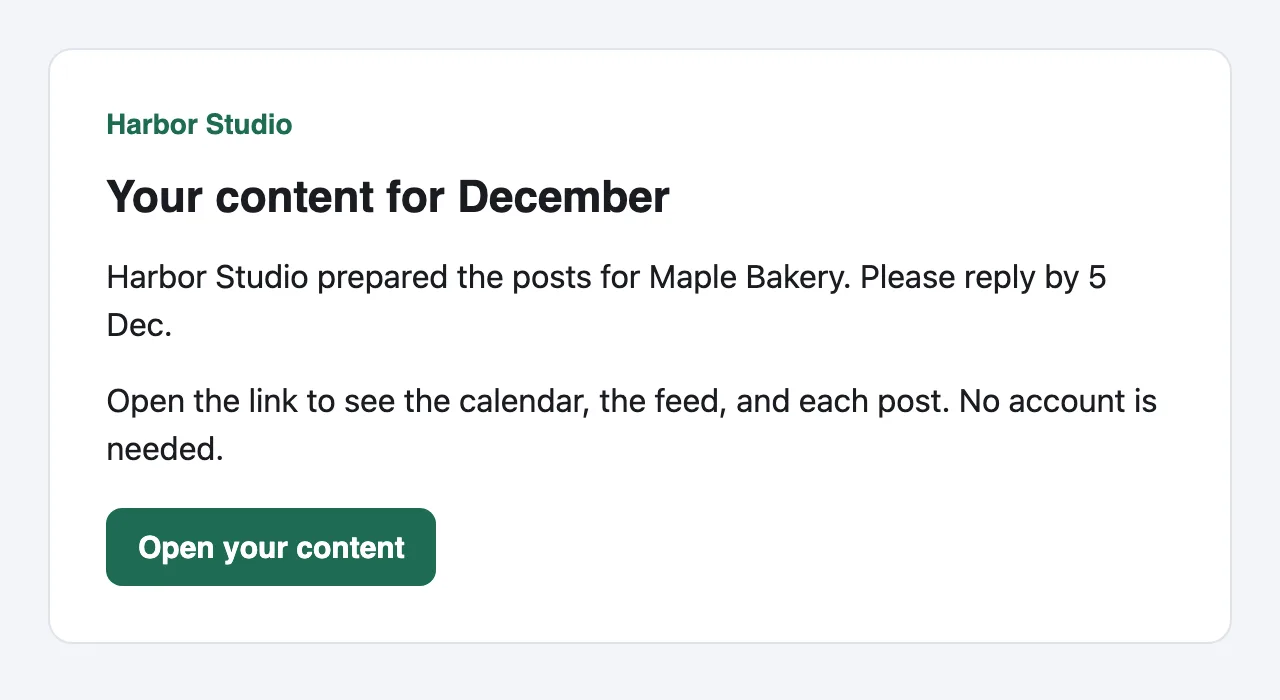
A link in their inbox
Send it by email from the client page, or copy it into your own message. The email comes from your agency name and carries one button.
- 2
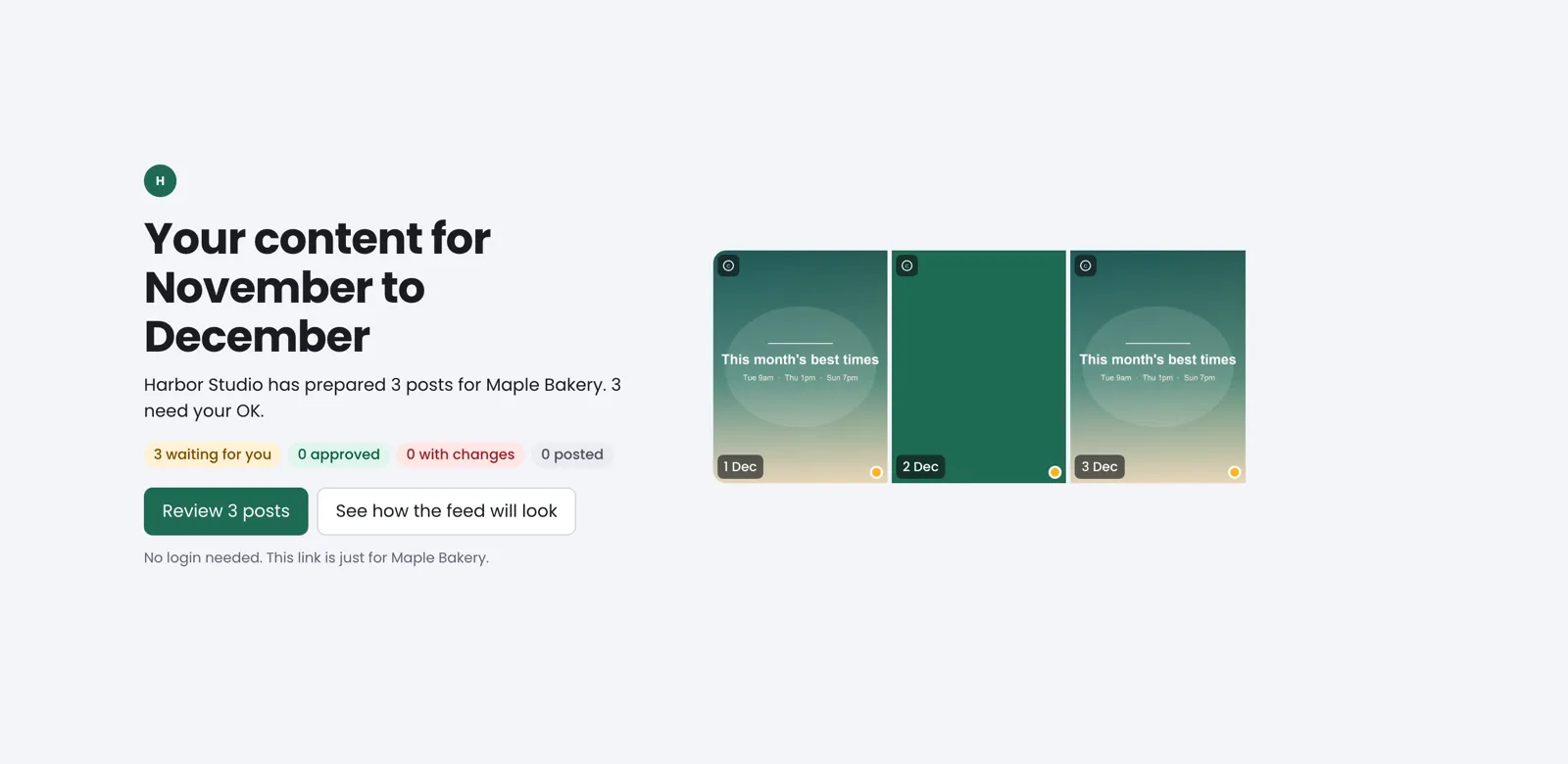
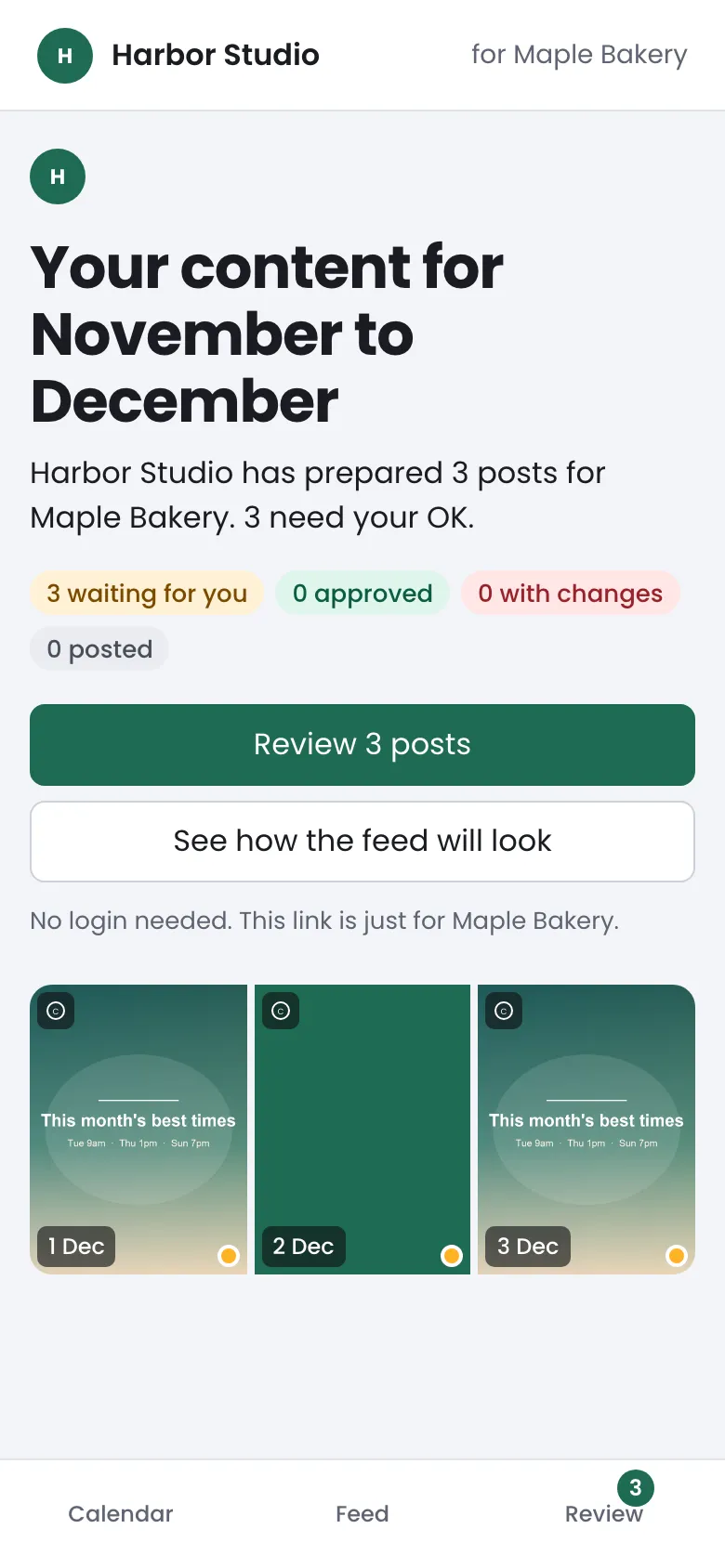
Their posts, ready to review
A calendar, a feed and a review list, with your name and colour on every screen. The link works until the end of the date range you set. Extend it or revoke it any time.
- 3
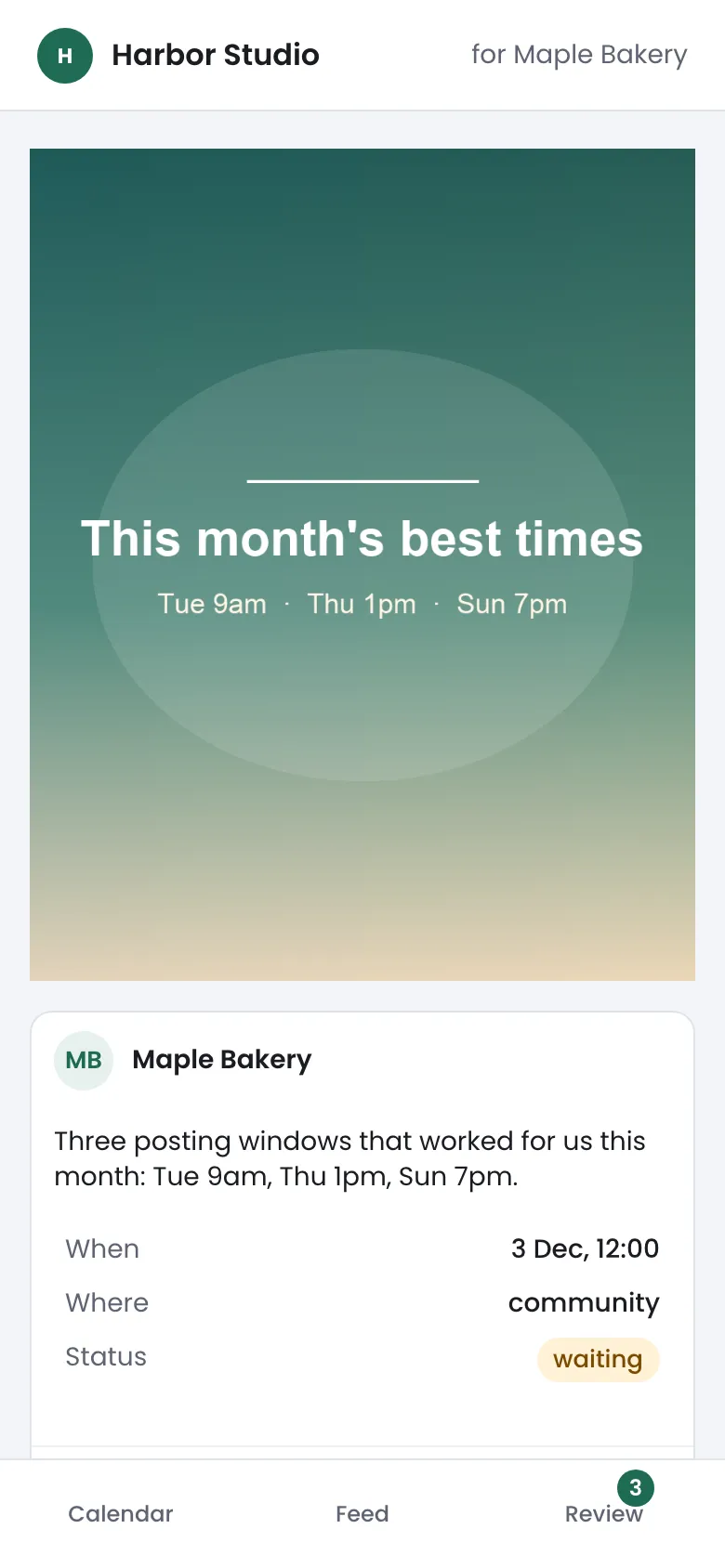
Approve, ask for changes, or comment
Each post has a note box and two buttons: Approve and Request changes. On photos and carousel slides the client taps the exact spot and leaves a pinned note. On video the note is a plain comment.
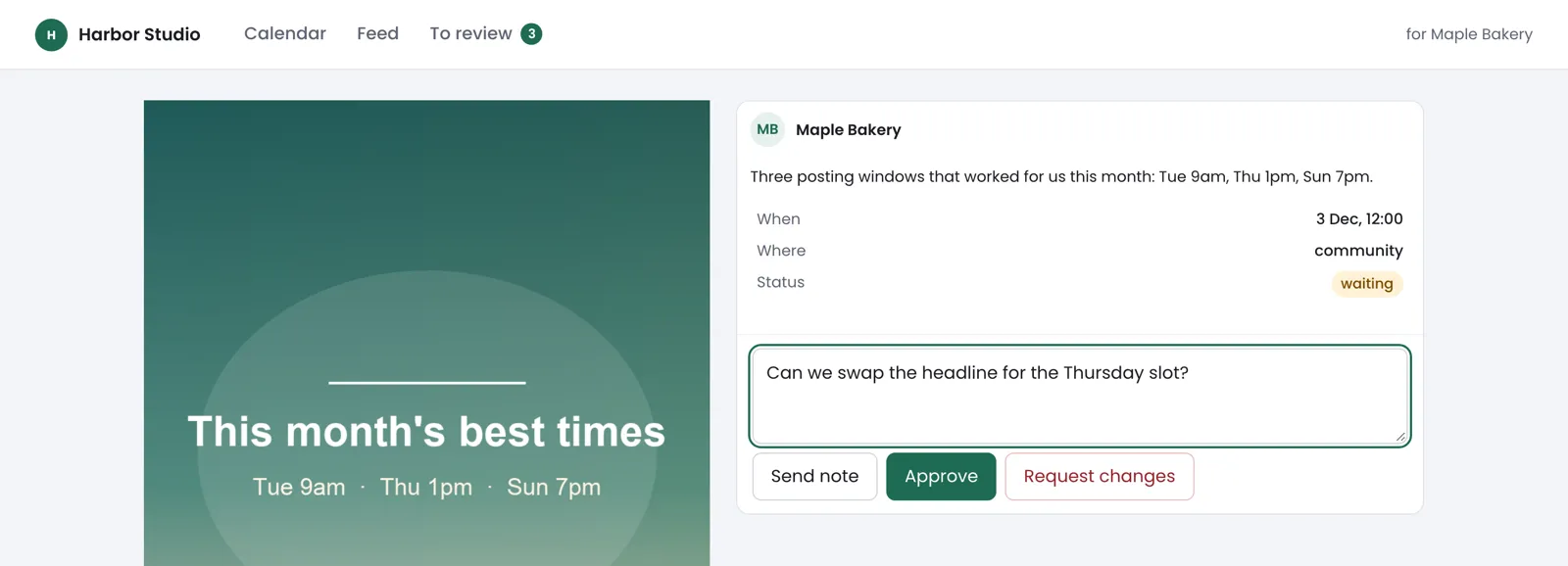
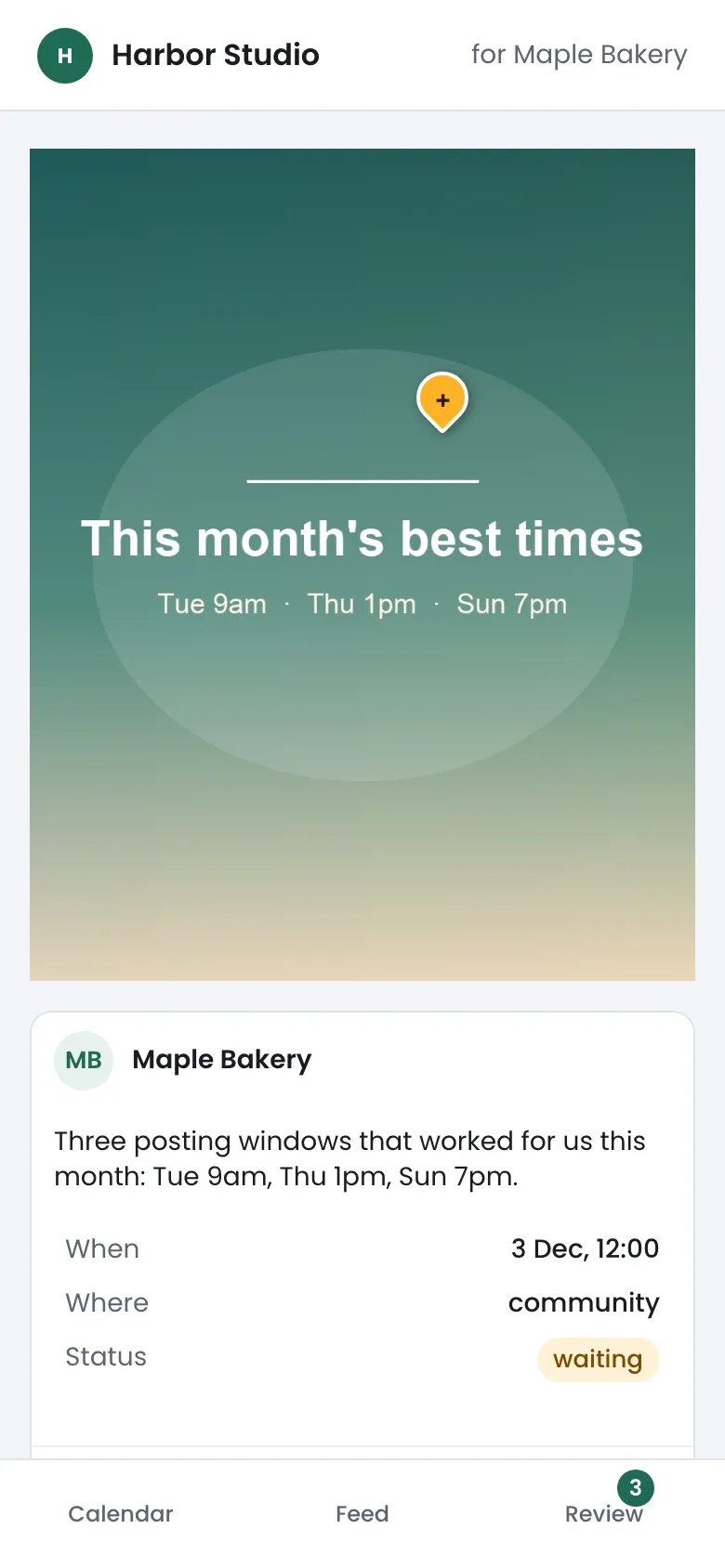
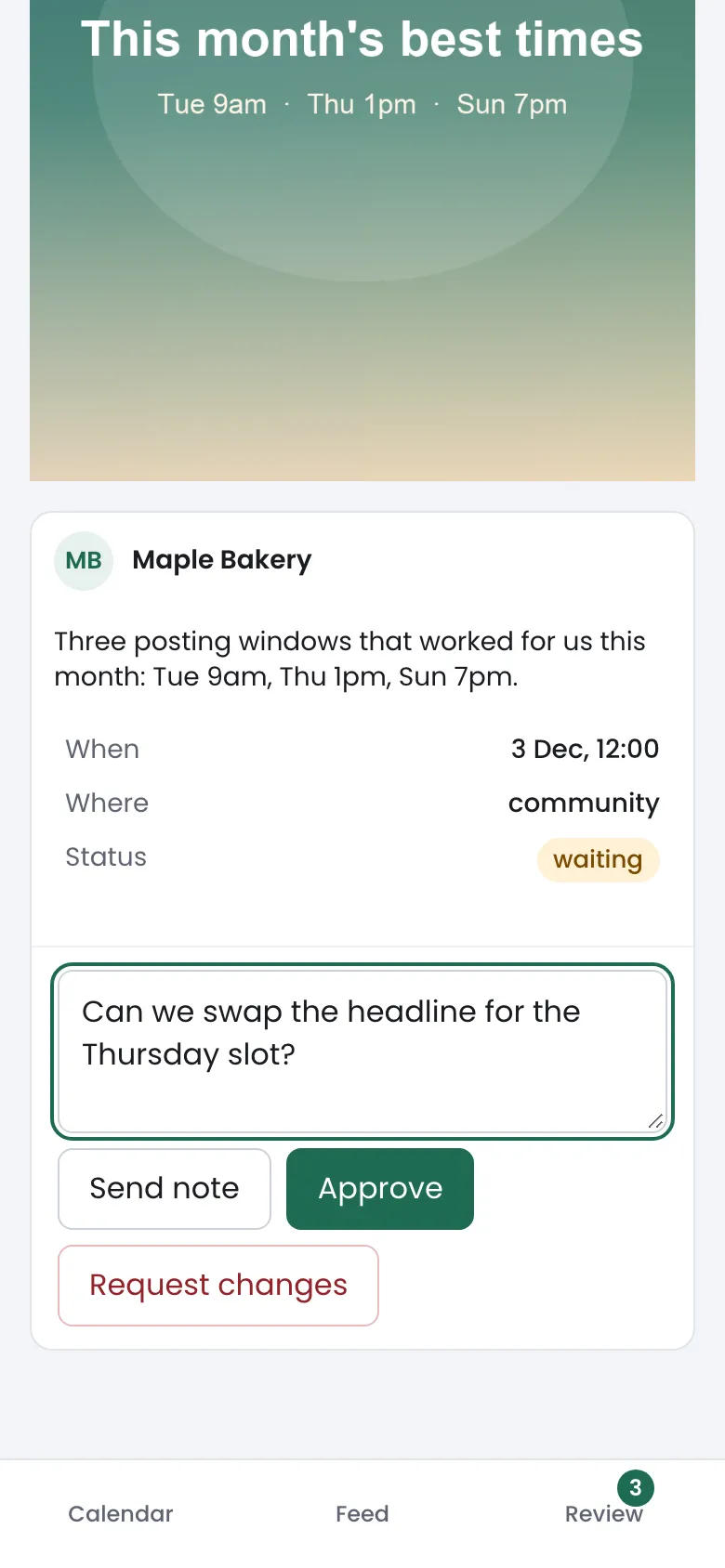
You get an alert when they open the link, comment, approve or ask for changes. Approval is on by default for each client, and held posts warn you 2 hours before they are due. Starter includes 1 active client link, Pro 15, Growth no limit. More on client links
Your plan
Growth
/mo
Growth is everything in Pro, plus articles published to your own site, so one plan covers social posts and the client site.
First 3 posts free. No card.
- Client workspaces with separate accounts and analytics
- One no-login approval link per client: approve, request changes or comment
- Everything in Pro
- Articles published to your own site
- Approve each article, or publish on autopilot
Questions
How do clients approve posts?
You send the client one link, by email from the client page or in your own message. They open it in a browser with no account and no password, see their posts under your agency name and colour, and approve, request changes or comment. With approval on, a draft does not publish before they approve it.
Are client accounts kept separate?
Yes. Each client gets its own workspace with its own accounts, drafts and analytics.
Which networks can I publish to?
Instagram, X, TikTok, LinkedIn, Threads, Bluesky, YouTube, Mastodon, Pixelfed, Telegram channels, Tumblr blogs, WordPress sites, Ghost publications, DEV articles, Write.as blogs, Whop forums, and Buttondown newsletters.
Is there a free trial?
First 3 posts free. No card. After that, a 14-day free trial of the plan you pick. A card is asked after 3 posts or 7 days, whichever comes first.
Social Media Management Software for Agencies, With Client Approval
Client posts wait until you approve them. Keep every client in its own workspace. Drafts sit in one queue until a manager or the client signs off. From $99/mo.
First 3 posts free. No card.